% Performance Inspector
Performance Inspector Generates Reports
2018-12-22
Performance Inspector allows managers to understand how each of their print manufacturing devices is rendering color over the previous week or month. These reports can be emailed automatically and each manager will only get the print reports for the devices that fall under their responsibility. The Performance Inspector reports the percentage of prints that were make ready (waste) versus production (salable) prints; Comply to G7; Are within your Expectation Factor; Productivity of how well the printer was utilized.
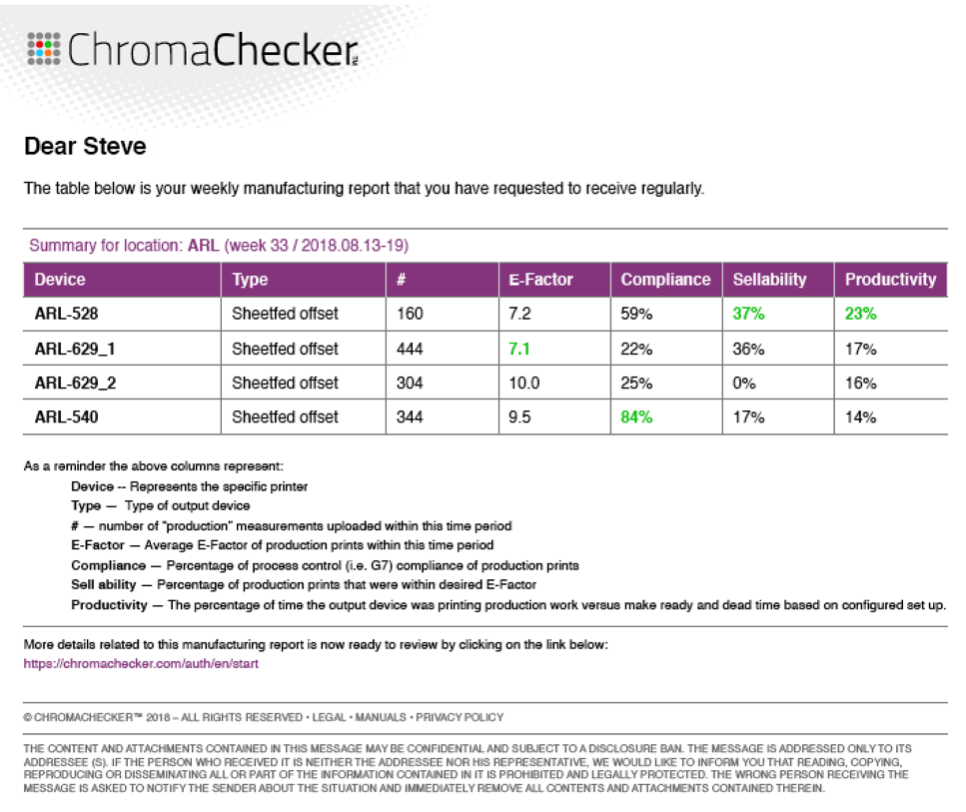
There is also a direct link to the database which allows the manager to get more detailed information on any printer or operator to learn better what is happening on the device to better improve the performance.
Printers can be set up for different locations and different departments, and the managers that will receive the reports are configured within the Accountability inspector and assigned to the given printers so they only receive reports relevant to printers under their responsibilities.
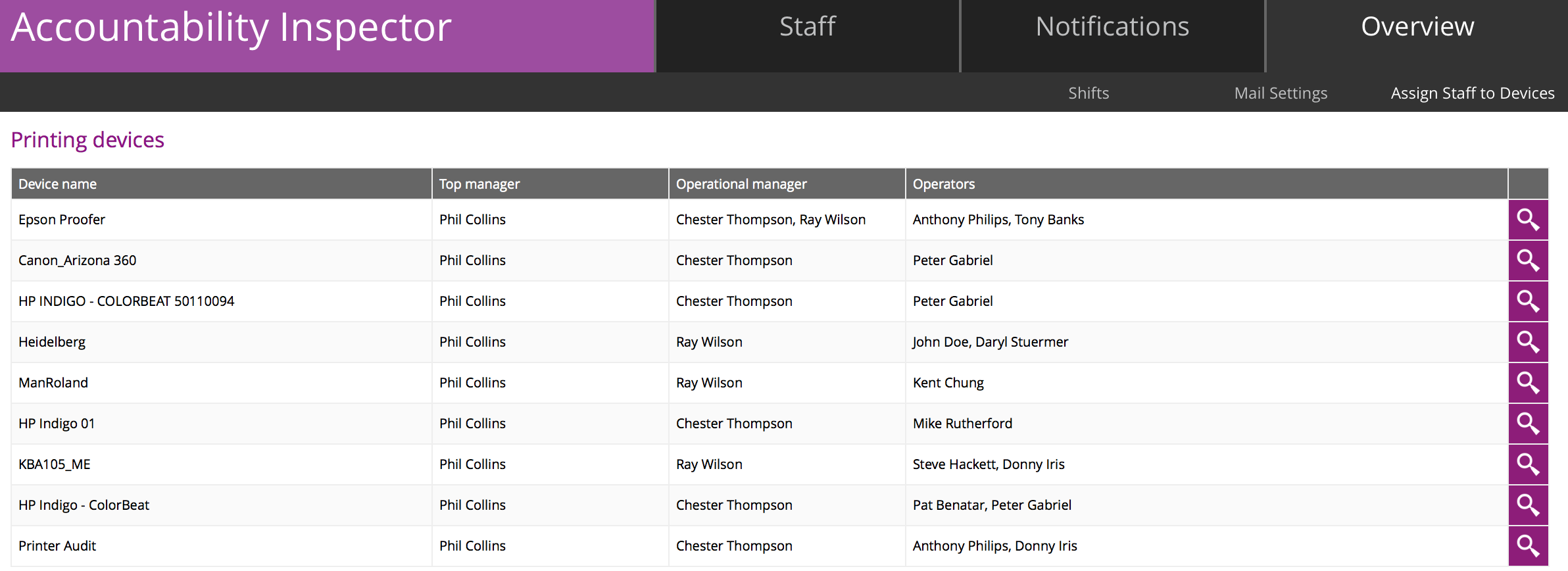
Screenshot of Accountability inspector filled out with managerial responsibility
The user activates the automatic email generation by clicking on the Notification tab, and selecting the weekly and or monthly reporting option:
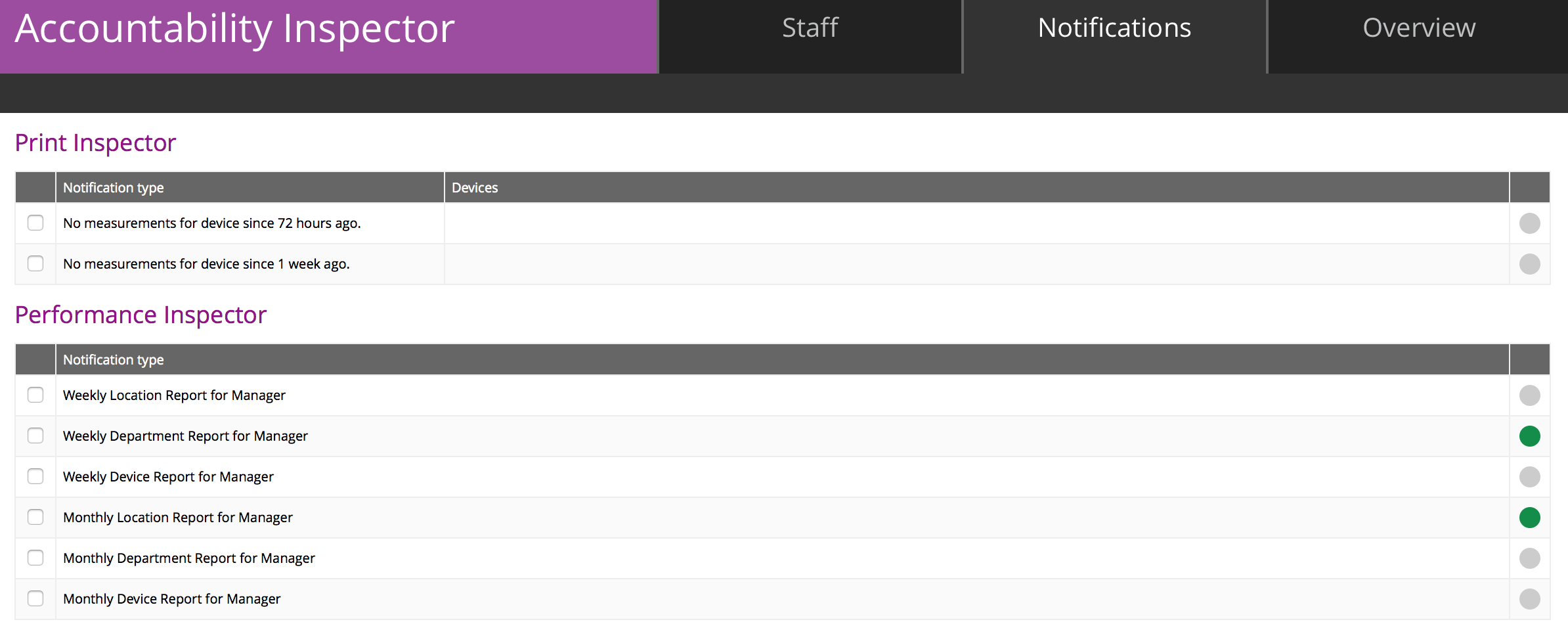
Green dots on right activate the reporting functions
GG7 Curve Inspector
New Curve Export: Equios & ISO 18620
New Calibration Curve Export Formats: Screen Equios and ISO 18620 (TED)
LEARN MORE ›››PPrint Inspector
Improved Timeline Experience in EasyMode
We have enhanced the Timeline view in EasyMode to help you better understand and interact with your color data.
LEARN MORE ›››PPrint Inspector
New Grouping Feature in PC Qualifier
New Grouping Feature in PC Qualifier
LEARN MORE ›››HColor Inspector
Exclude Out-of-Gamut Colors
Virtual Spot Print / Exclude out-of-gamut colors
LEARN MORE ›››EEnvironmental Inspector
Customizable data logger colors
The color of data loggers can be customized on the Dashboard
LEARN MORE ›››