H Color Inspector
Color Library Export - CxF
2018-12-11
Now Color Inspector users can export Library or Palette. This allows these ChromaChecker CXF files to be implemented in multiple workflows that allow a more accurate look up table in your actual production. For instance, by adding a CXF library to a CXF compliant RIP like EFI, the RIP will use the CXF definition to convert named colors automatically to the specific device CMYK of the output device based on the relevant profile in the queue. This provides higher quality conversions automatically applied "on the fly." This also provides that custom libraries can be remotely loaded on compatible measurement devices like an Exact and the Exact will take advantage of the custom tolerances that ChromaChecker created in the CXF. Three variants of CxF file covers various extended data support.
An extended dialog box informs the user about limitations and enables select parameters of the output file:
1. Alwan Color Library compatible CxF.
This version that keeps all halftone samples organized according to ISO-17972 /CxF/X4 requirements.
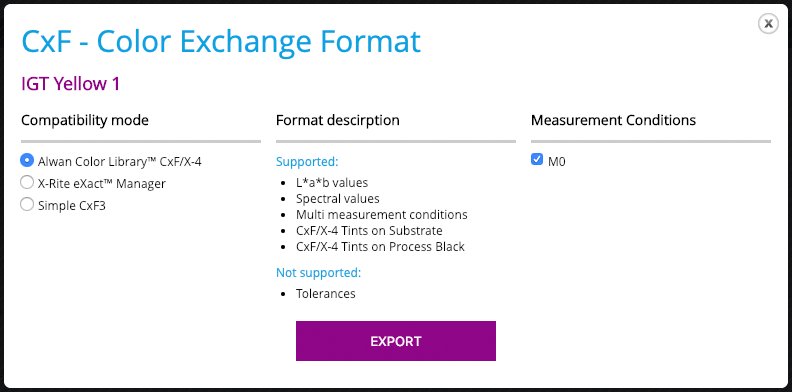
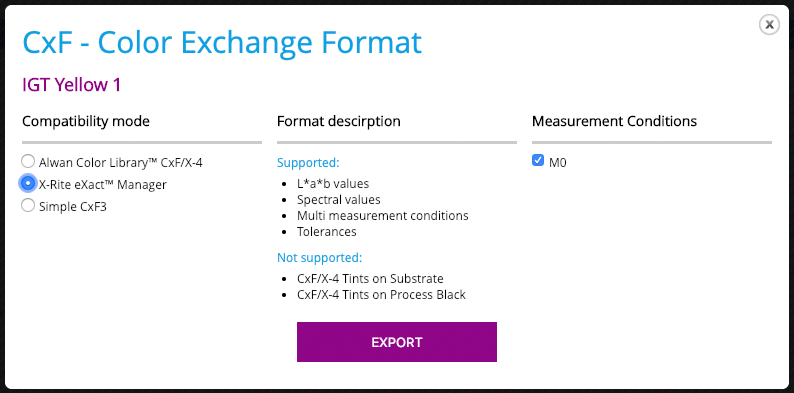
2. X-Rite eXact compatibility.
This format covers all critical sample properties including multi-level tolerances, multi M-condition data
3. Simple CxF3
This format is dedicated for basic compatibility data exchange purpose.
GG7 Curve Inspector
New Curve Export: Equios & ISO 18620
New Calibration Curve Export Formats: Screen Equios and ISO 18620 (TED)
LEARN MORE ›››PPrint Inspector
Improved Timeline Experience in EasyMode
We have enhanced the Timeline view in EasyMode to help you better understand and interact with your color data.
LEARN MORE ›››PPrint Inspector
New Grouping Feature in PC Qualifier
New Grouping Feature in PC Qualifier
LEARN MORE ›››HColor Inspector
Exclude Out-of-Gamut Colors
Virtual Spot Print / Exclude out-of-gamut colors
LEARN MORE ›››EEnvironmental Inspector
Customizable data logger colors
The color of data loggers can be customized on the Dashboard
LEARN MORE ›››