January 20, 2025
Export to Adobe Swatch Library (.ASE or .ACB)
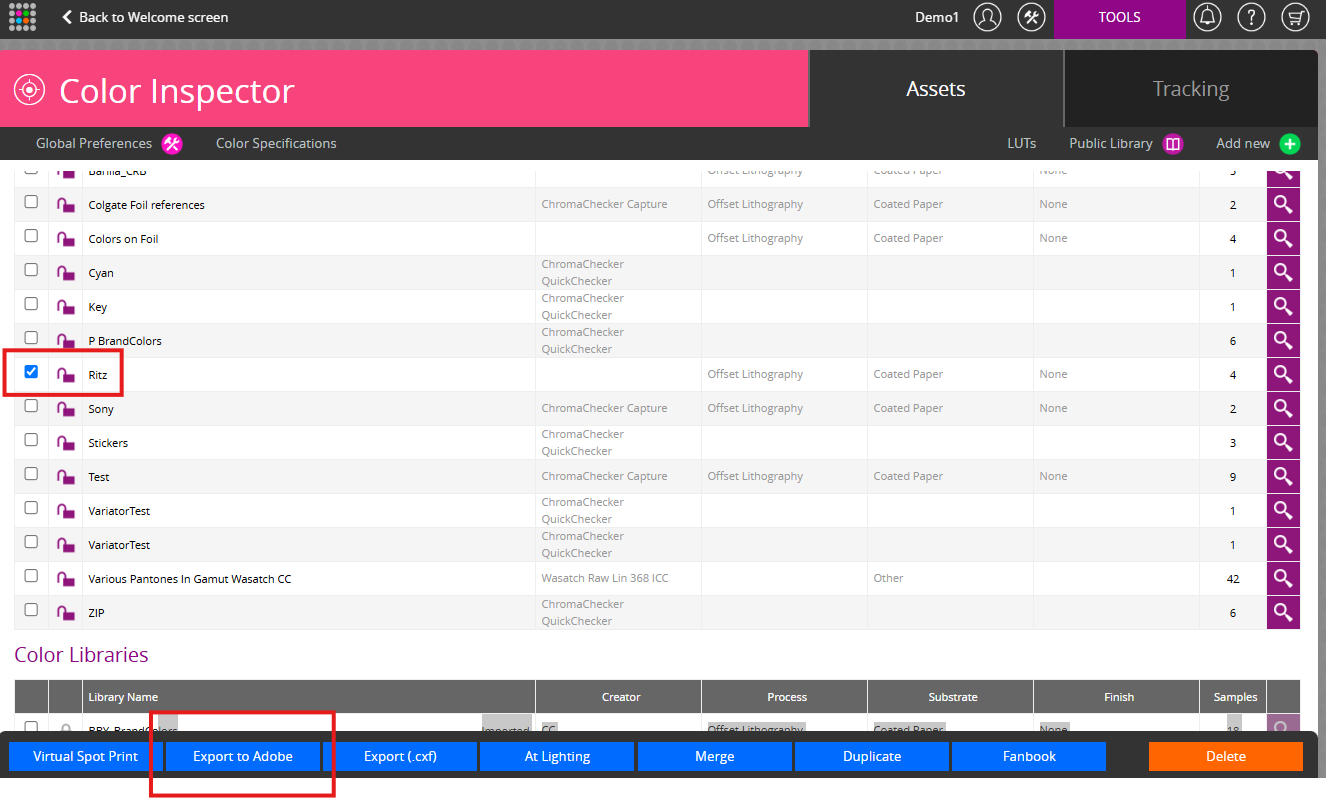
- Login to ChromaChecker Dashboard -> Color Inspector -> Assets
- Select the library of colors you want to export
- Export to Adobe
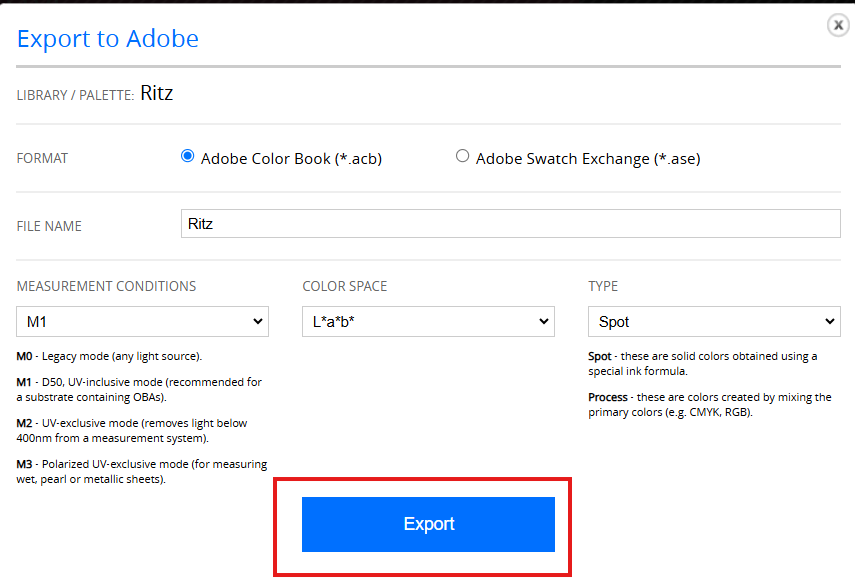
4. Define settings and Export. The file exported can be loaded into the Adobe Suit of products as a Adobe Color Book (*.ace) or Adobe Swatch Exchange (*ase)
Contact ChromaChecker Support
Additional information and Support Form is available for logged users.
