Fix the Lighting Condition first
A good approach is to start with the lighting conditions. Take into account that the printing Industry uses D50, but others can use D65 or any other. Typically we are controlling Lighting Conditions in the following places:
- design studio - light booth or lamp over the working table
- press console in print floor
- QC station - mostly lamps over tables where typically QC checking is performed
- Acceptance room - an area where products are exposed for acceptance
- Presentation zone - an area where products are exposed for customer presentation - retail stores, and other public spaces used for commercial product exposure.
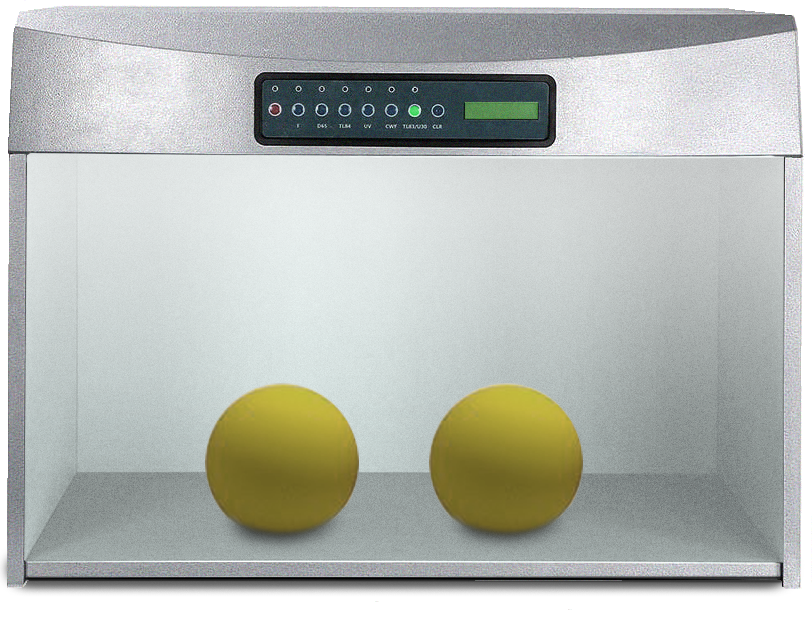
Buy a dedicated lighting booth that is, of course, the best solution. It is good to have at least D50/D65. A dimmable option will make it possible to compensate for the same brightness level for the monitor and lighting booth - which is critical for comparisons.
Professional Lighting Booth
There is a variety of products from different vendors. Some of them can be remotely controlled and software like CC Display can automatically control lighting conditions to get corresponding value in the booth and on the screen
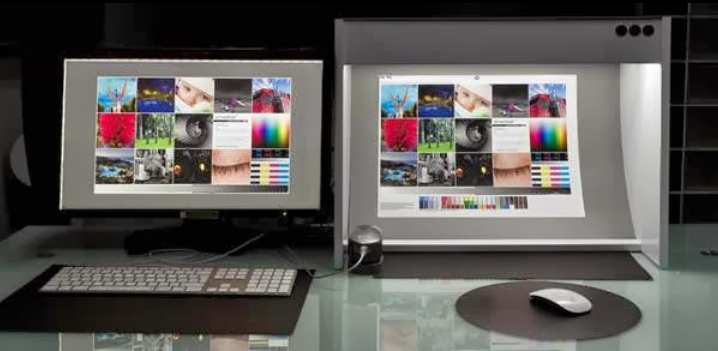
Softproofing Station
This is a very specific solution where a couple of elements are adjusted to get a controlled working environment for working with color:
- Lighting Booth with dimmable sources of standardized light (D50, D65, and other illuminants...)
- Calibrated and Profiled Display
- Measurement instrument that can be used for Lighting and Display measurements
- Ambient condition (light, wall, etc)
Take into account that ambient light also has an impact on how color is perceived. Additionally, surroundings should be neutral (paint walls in neutral gray and wear grey clothes - any colorful surface close to the specimen can dramatically modify lighting, and the initial D50 will be out of specification!
The best approach is to measure (frequently) lighting conditions - evaluate the whole working space for uniformity (Lighting Inspector) and check ISO-3664 conformance. Take into account that this standard defines mode P2 500lux (for lighting booth with monitors) and P1 (2000lx) for the production environment.
Please note that professional calibration is user-dependant - due to some personal differences between users. Observer metamerism is one of those key reasons why there is no one universal solution for everybody. Next page is focused more on how to work with displays.
Low budget option for lighting booth
If you are a freelance designer regular lamp equipped with a source of light is an inexpensive way to start. For D50, Fluorescent tubes marked with 950 offer D50 simulation with CRI (Color Rendering Index) > 90 for example:
- Philips MASTER TL - D Graphica - 950
- OSRAM color Proof 950
- Sylvania 21880 - FO32/950/48in
- JUST daylight 5000 proGraphic
- D50 5000K A19 LED Bulb
- NormLite™ D50 Corn Bulb
The simple, open design of the lamp with only a polished aluminum reflector is the best solution, and it is not expensive. You may equip the lamp with a dimmer option ( e.g., OSRAM QuickTronic) and create two sections for two illuminates (D50 and D65 or any other custom that reflects condition of destination lighting conditions).
Please note - some products even if declared as ISS compliant may in a given production batch be NOT. The best way is to use Lighting Inspector to evaluate. Also during usage, most sources of light are changing their properties - and therefore a periodical examination has to be performed! ChromaChecker doesn't guarantee real quality.
Examine Lighting Condition with CC Capture
Two instruments are very useful for lighting measurements:
- X-Rite i1Pro (ver, 1,2, or 3) (10 nm resolution)
- Konica Minolta Myiro-1 (5 nm resolution)
Of course, more advanced devices can be used but most of them are dedicated to light measurements only, while in practice next components like displays and physical specimens are also part of the workflow. Those instruments have some important limitations which are described in the following comparison chart.
Follow the QuickStart instructions to learn how fast and easy to measure the lighting condition
 |
QuickStart — Measure Lighting Condition |
|
|
Contact ChromaChecker Support
Additional information and Support Form is available for logged users.
