December 3, 2025
Print Factory Adding G7 Curve
Print Factory Import G7 Curve to adapt printer
In the Calibration Window, Choose the printer queue on left, then select the calibration icon
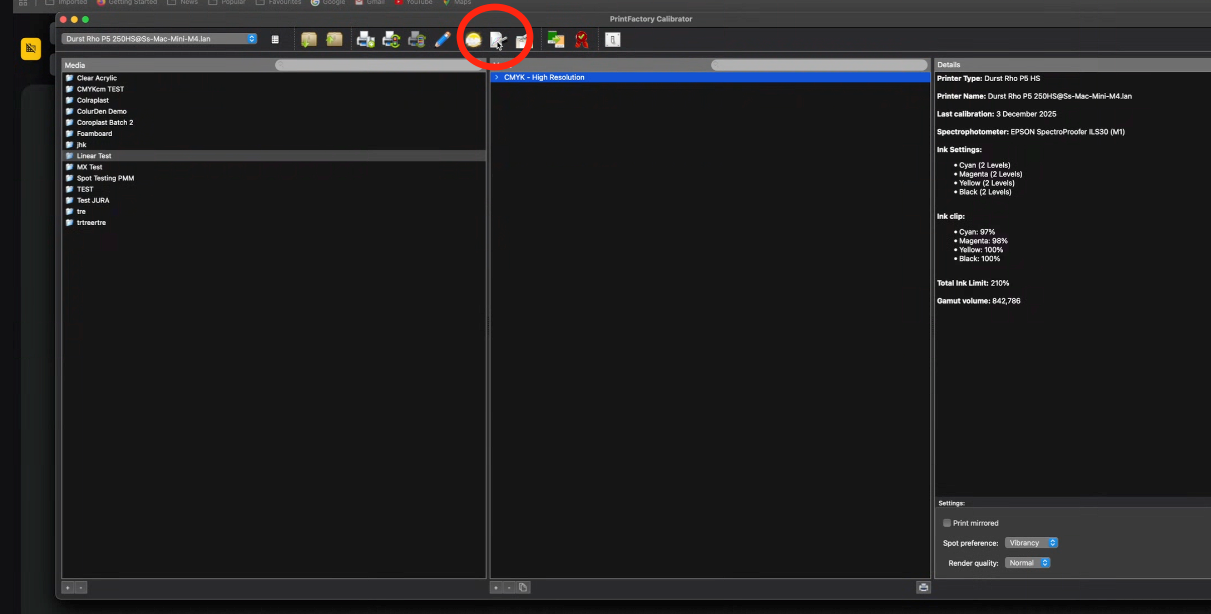
Calibration button brings this up:
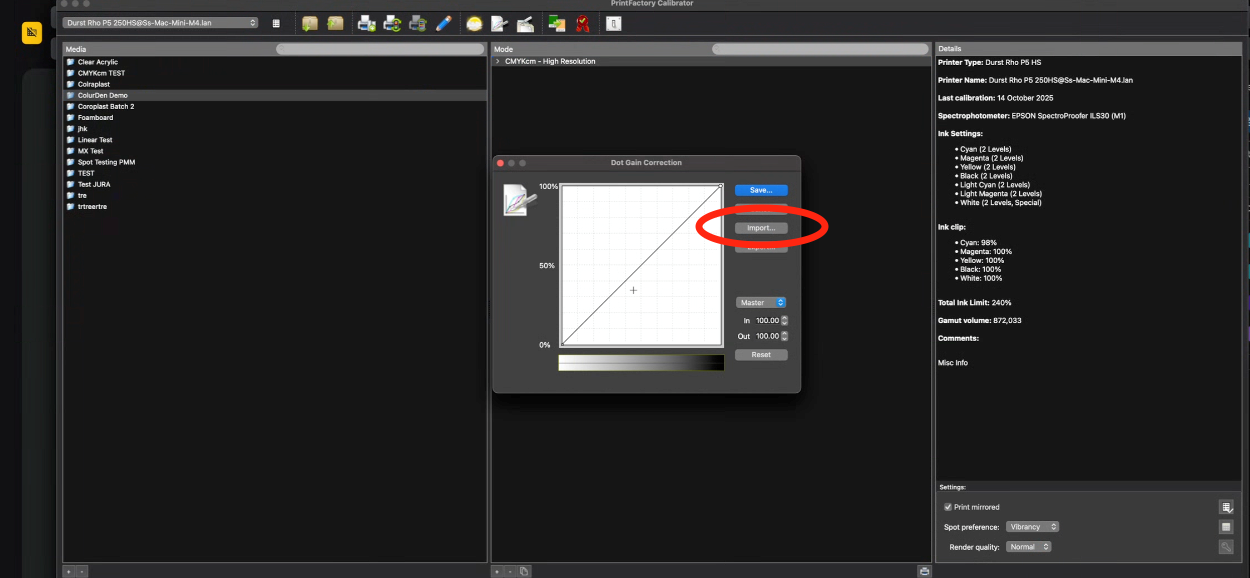
Click on the IMPORT dialog, and it will ingest the Photoshop exported Curve format from ChromaChecker.
Contact ChromaChecker Support
Additional information and Support Form is available for logged users.
