Remote Instrument
This is a unique feature where CC Capture is used to display reports created by a press integrated system (e.g. Heidelberg Image Control. X-Rite InterlliTrax, or any other that feeds CC system with data already).
How-to
It is easy to connect with any press that is already registered in CC System. In practice, it is two steps operation
- Get Capture Remote ID
Go to Print Inspector select Printing Device, and click on icon to open Edit window: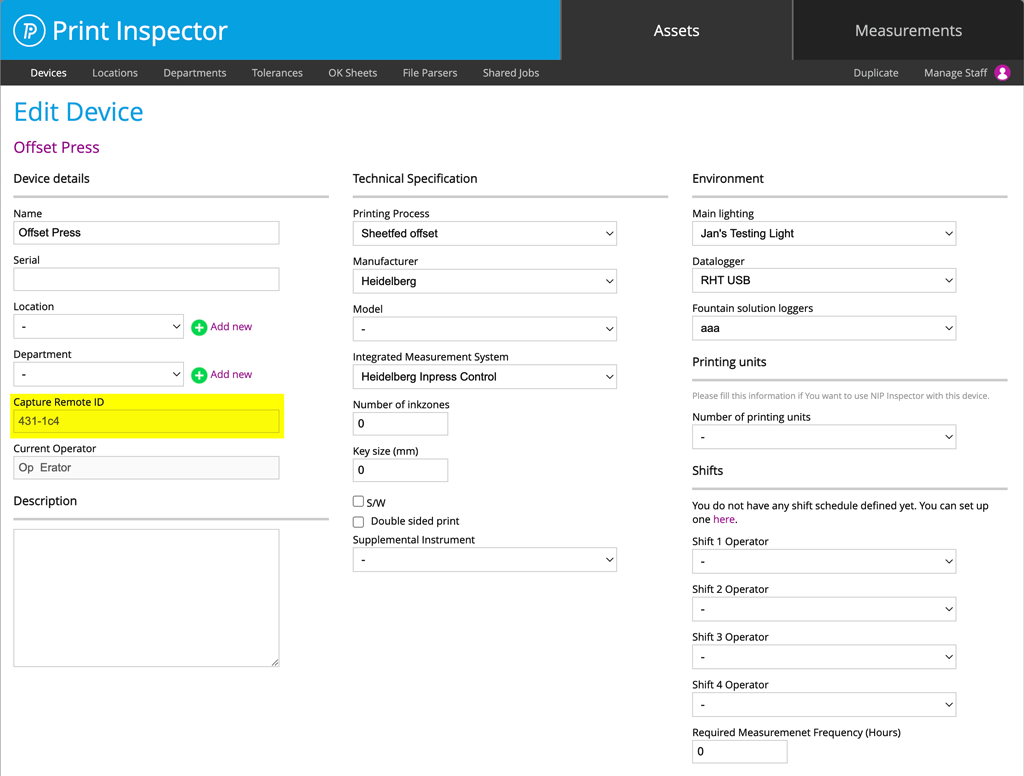
copy value (in this example: 431-1c4) - Paste Capture Remote ID into CC Capture Remote Instrument setting:
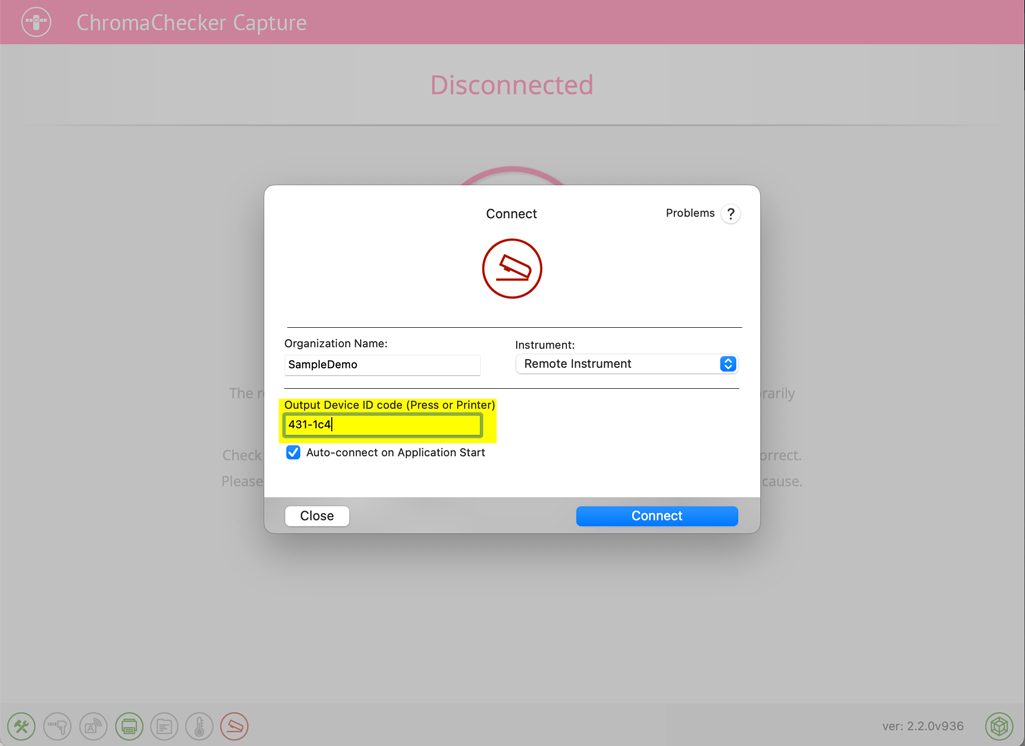
and hit the "Connect" button. Done!
Would you like to test it with no own account?
Use SampleDemo as Organisation and 431-1c4 as ID ( exactly as on screenshot) and Logon using test credentials:
- Login: Operator
- Password: user
Remote Instrument Interface - Timeline
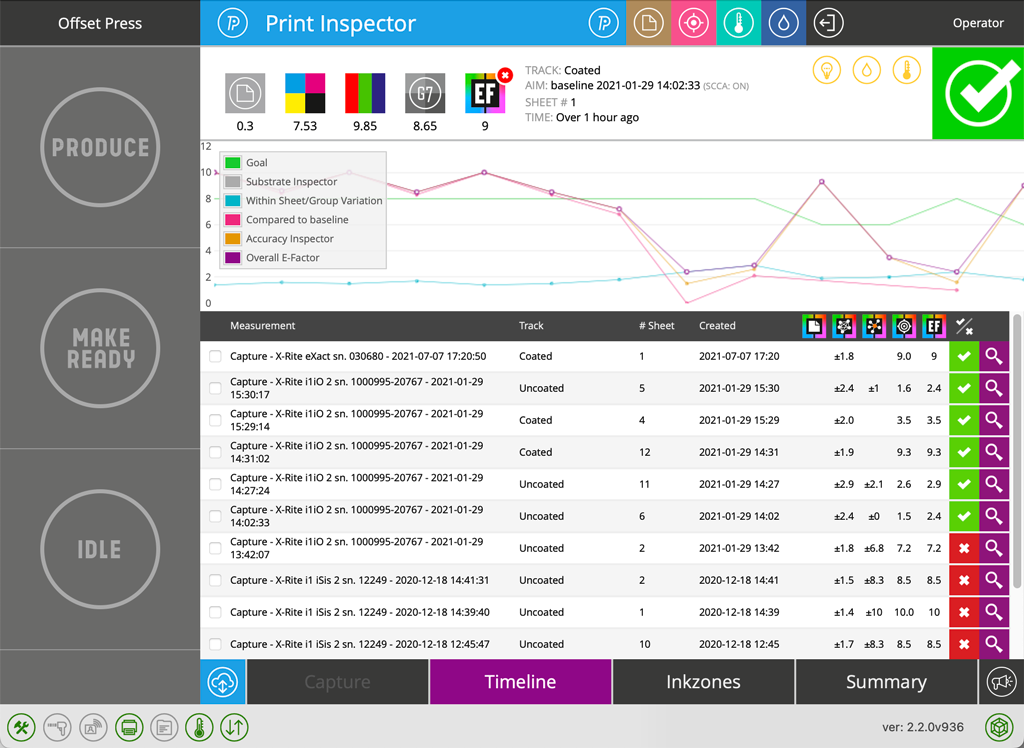
Notice that on the left side there are three buttons: "Produce", "Make-Ready" and "Idle" - the Operator may send information to the system related to the current Printer state. Also, it is possible to notify the system about Events.
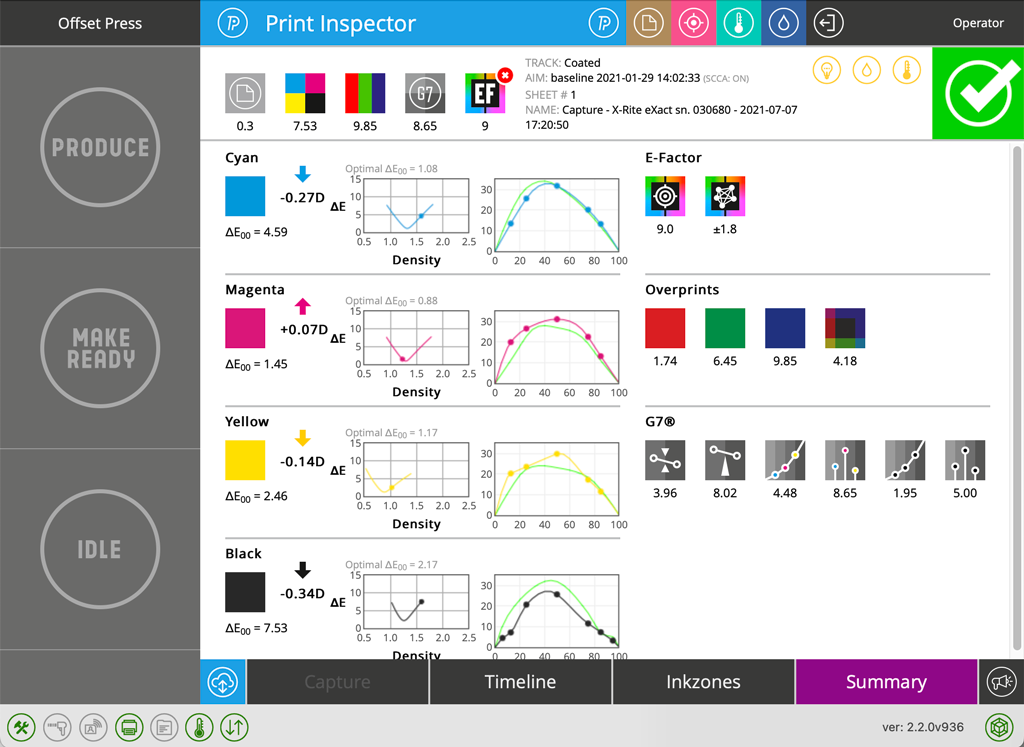
Hitting magnifying glass it is possible to get a Summary of the selected measurement.
Remote Instrument Interface - Summary
Remote Instrument Interface - Events
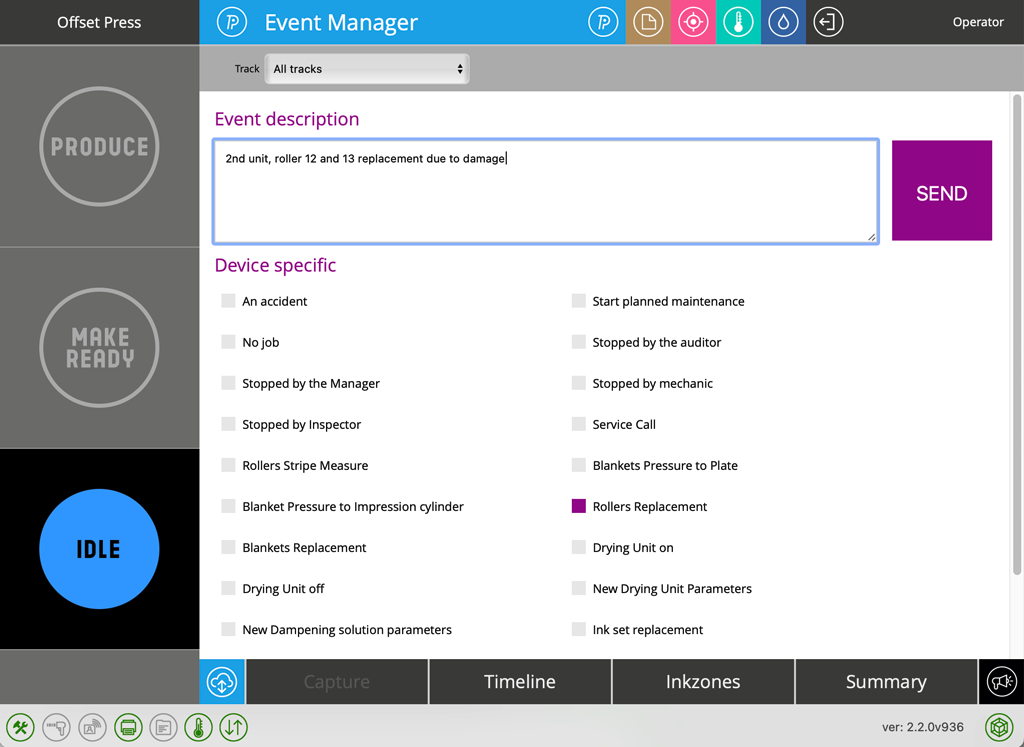
Depending on a predefined list of events - the operator can send information to the system about a specific event - in this example - roller replacement for unit 2.
Remote Instrument Interface - InkZones
You need a measurement system ( e.g Intellitrax) that delivers Ink zone data.
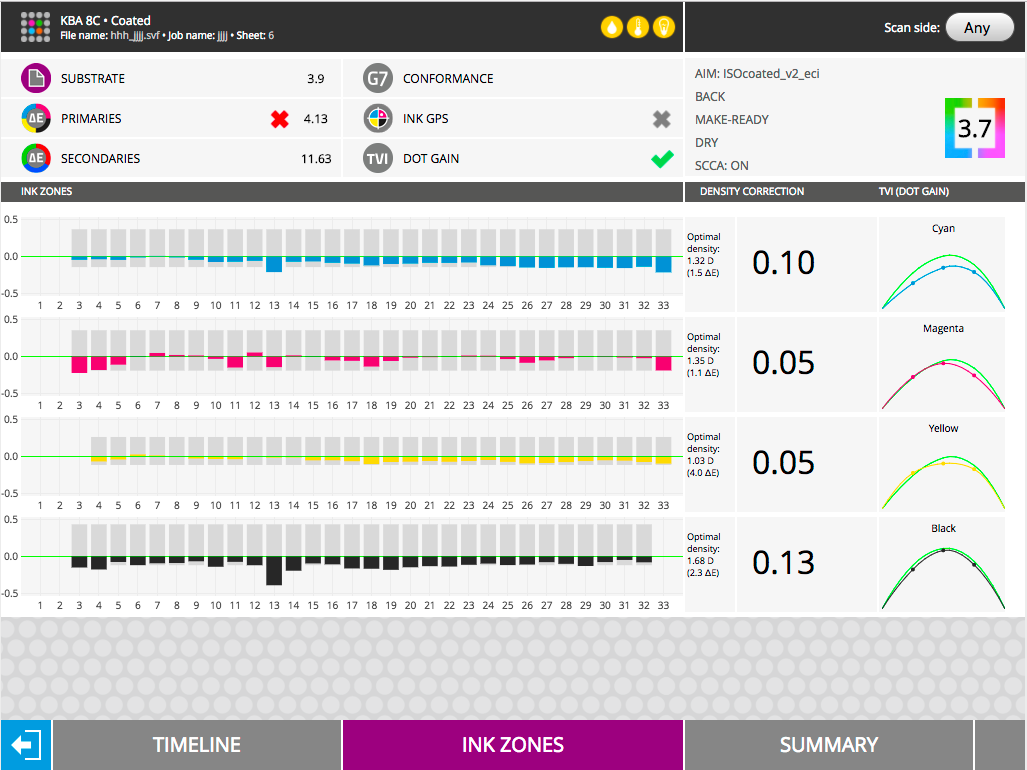
Other Inspectors
On the top menu, the Operator gets access to other ChromaChecker tools - e.g Fountain Solution Inspector
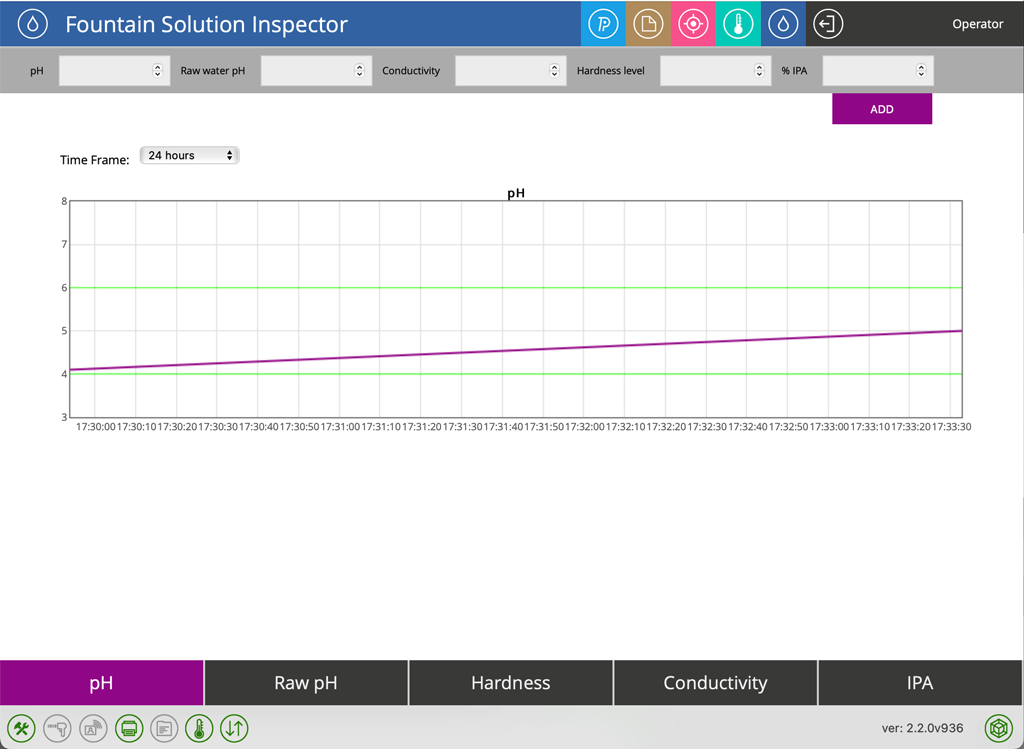
Where it is possible to enter data controlled by this tool.
Important note
Some Inspectors or functions require configuration to be accessible. Also, some functions may require a specific Level of Advancement - Basic Operator and Expert may see the interface differently. Some services may require to be assigned to the Operator.
Contact ChromaChecker Support
Additional information and Support Form is available for logged users.
